Explore

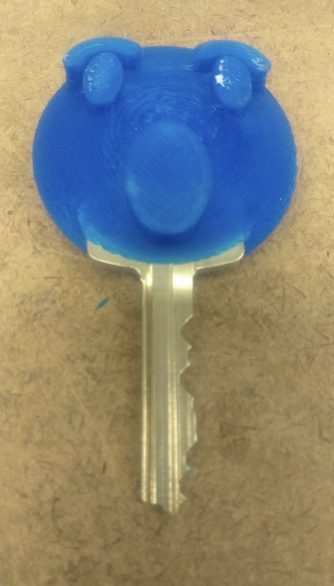
Create decorations for keys in Tinkercad and 3D print.
3D Printer
3D Modeling Software, Tinkercad
3D Filament
In this project, students will create 3D printed figures that fit onto their keys. The figure can be related to many different content areas, or something they are personally interested in from food to animals to anything in between. The completed Key Kozy must fit the intended key and still allow the key to function. For the figure, students can create their own 3D shapes or start with models from an online resource like Thingiverse or the Tinkercad Gallery.
Students can work individually or in groups. In groups, they can split the work up into modeling the figure and making the key interface, then combining the designs. To make the key interface, students measure the size of their individual keys and determine the best-sized hole for the Key Kozy to fit without falling off or being impossible to take off. This requires precision measurements using a ruler or calipers and some trial-and-error with printed parts. The exercise leads to an understanding of “fit” and “tolerance”. The figure that mates to the interface should be 3D printable, understandable to the viewer, and meet constraints set by the teacher for the time it takes to print, material use, etc. After combining models for the key interface and the figure, students will choose a color and print away. The project may take 2 -4 class hours to complete, and time to 3D print the pieces.
Have a question or want to share your Makes with us? Contact us!
k12maker@mit.edu


.svg)
We help educators integrate Maker/STEAM projects into regular academic classes, making their curriculum more engaging, promoting "21st-century" durable skills, and fostering literacy in creative technologies used by professionals.